Best CRM for Hearing Aid Clinics in 2026: Features, Comparisons and Top Picks
Most hearing aid clinics don’t lose patients because of poor care. They lose them in the gaps: an enquiry that sat unanswered over the weekend, a trial that ended with no follow-up call, or a long-term patient who was never reminded that their devices are due for an upgrade. The right CRM closes those gaps without adding hours to your front desk’s workload.
This guide explains what a CRM does for an audiology practice, which features matter most, how the main types of software compare, and where Wysera fits for clinics that want marketing, follow-up and patient communication in one place.
What Is a CRM for a Hearing Aid Clinic?
A CRM (customer relationship management) system stores every contact, conversation and appointment in one record and helps your team act on it. For a hearing clinic, that means tracking a person from first enquiry through hearing test, device trial, fitting, follow-up visits and eventual replacement.
It is different from your clinical practice management software. Clinical systems handle audiograms, device records, billing and insurance. A CRM focuses on the relationship: who enquired, who hasn’t booked, who needs a call this week, and which marketing channel brought them in.
Why Hearing Clinics Need More Than a Spreadsheet
Hearing care has one of the longer buying journeys in healthcare. Many people notice symptoms years before they book a test, and the decision often involves a spouse, an adult child or a family doctor. Then come the trial period, fine-tuning appointments and a replacement cycle that runs for years.
That timeline creates hundreds of small moments where a patient can quietly drift away. Spreadsheets and sticky notes cannot remind you to follow up, show who is most likely to book, or send a recall at the right time. A CRM can. Clinics that reply quickly and consistently also usually win the booking over competitors who answer a day later.
Must-Have Features in a Hearing Clinic CRM
1. Fast lead capture and response. Website forms, calls, emails and social messages should land in one queue. Speed matters because someone who has finally decided to act will often contact several clinics.
2. A pipeline built around the patient journey. Look for customisable stages such as enquiry, test booked, test completed, trial, fitted, follow-up and upgrade due, so you can see where each person stands at a glance.
3. Automated follow-up with human control. Reminders, confirmations and nurture emails save hours, but patient communication should still sound like your clinic. The best tools draft messages in your voice and let you approve them before they go out.
4. Unified inbox and call logging. Every email, call and note should attach to the patient record so any team member can pick up the conversation without asking, “What did we say last time?”
5. Built-in email and social marketing. Recall campaigns, hearing health newsletters and seasonal offers work better when your marketing tool and CRM share the same data instead of syncing through a third-party connector.
6. Privacy and security safeguards. Hearing health information may be protected under rules such as HIPAA in the US or your local data-protection law. Ask about encryption, role-based access, audit logs and whether the vendor will sign a Business Associate Agreement.
7. Reporting that shows return on investment. You should know which channels produce booked tests, not just clicks.
8. Simple setup and transparent pricing. Look for easy contact import and a plan that doesn’t charge extra for every seat or feature.
Types of CRM Options for Audiology Practices
General-purpose CRMs. Platforms such as HubSpot and Salesforce are powerful and widely supported. The trade-off is setup time, add-on costs and the work of configuring everything around a patient journey.
Hearing care practice management software. Tools built for audiology, such as Noah, Sycle or Blueprint OMS, are strong on clinical records, scheduling, devices and billing. Many clinics find their marketing and automated follow-up features lighter than a dedicated CRM, so they pair them with a separate tool.
All-in-one AI platforms. A newer category combines CRM, email, social, inbox and automation under one login, with an AI assistant doing the repetitive work. This suits independent clinics that want to replace several subscriptions with one.
Wysera: An AI-First Option for Clinic Growth
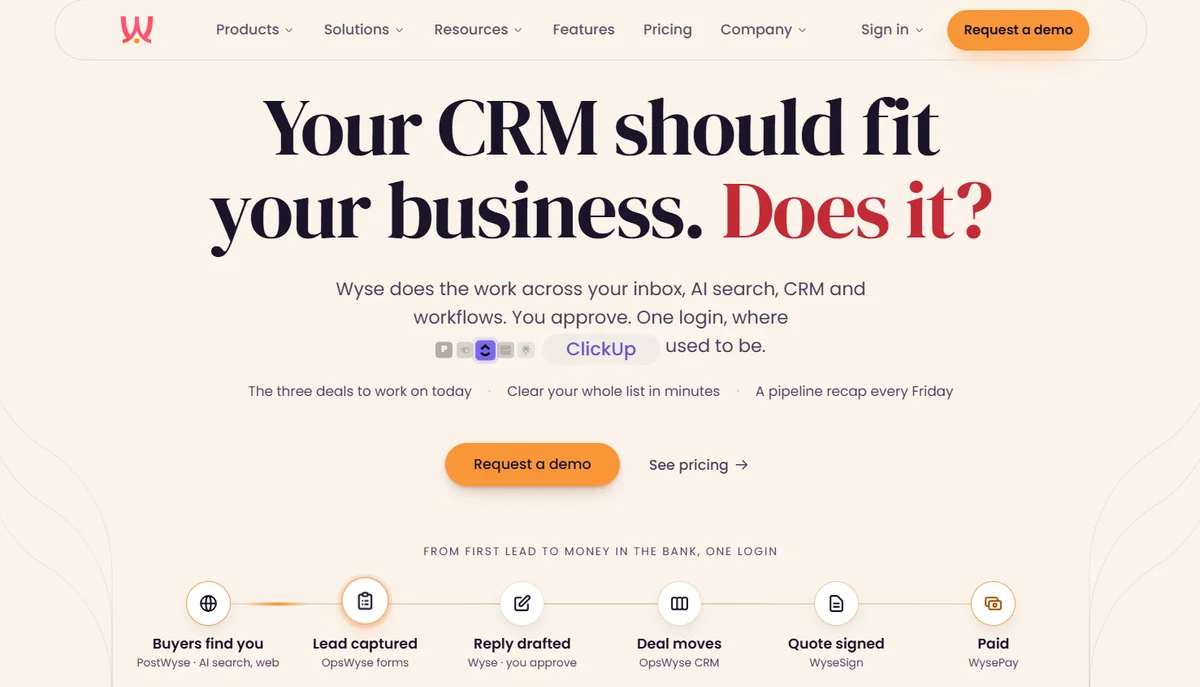
Wysera is an AI platform that brings sales, marketing and operations together. Its CRM, OpsWyse, manages people, companies, leads, deals, quotes and follow-ups, while PostWyse covers email and social content. An AI agent called Wyse works across both and reads the record before it acts, so a reply already knows the history.
What makes it relevant for hearing clinics:
Approval-first AI. Wyse drafts replies in your voice, and nothing is sent until you approve it, which keeps patient communication under your control.
Lead scoring and daily priorities. Every lead is scored from 0 to 100, so your team knows which enquiries to call first.
One inbox, one record. Calls, emails and notes are logged to the same record, and marketing leads become CRM deals without a sync in between.
Your own domain. Email is sent from your clinic’s domain, which supports trust and deliverability.
Straightforward pricing. Plans start at $99 a month with every feature included, and yearly billing gives two months free.
Easy migration. Contacts import by CSV, and you can run Wysera alongside your current system before switching.
Be realistic about fit. Wysera is not a hearing-specific clinical system, so it does not replace audiogram, device or insurance billing software. Think of it as the growth and communication layer on top of it.
On privacy, Wysera states that a Business Associate Agreement is available on request and that protected health information can be redacted before it reaches the AI. HIPAA readiness and a SOC 2 Type II audit are still in progress, so confirm the current status with the team before storing patient data.
Metrics Worth Tracking
Once your CRM is live, measure what drives revenue rather than activity. Track enquiry response time, enquiry-to-test booking rate, trial-to-fitting conversion, follow-up completion rate, and the number of long-term patients contacted before their upgrade window. Reviewing these monthly shows exactly where patients are slipping away.
How to Choose the Right CRM for Your Clinic
Map your patient journey first. Write down every step from enquiry to upgrade and make sure the tool can mirror it.
Audit what you already pay for. Add up your CRM, email, scheduling and social subscriptions to see what consolidation could save.
Test with real leads. Run one busy week of enquiries through a demo or trial and measure response time.
Ask the privacy questions. Request a BAA, security documentation and data export terms before you commit.
Plan the migration. Choose a tool that lets you import contacts and run in parallel.
Final Thoughts
The best CRM for hearing aid clinics is the one your team actually uses to answer every enquiry quickly, follow up on every trial and bring long-term patients back at the right time. Hearing-specific practice software remains essential for clinical records, but a modern CRM with AI-assisted, approval-first follow-up can turn the same patient base into steadier bookings. If you want marketing, CRM and inbox in one login, book a demo of Wysera and test it against your real enquiries.
FAQs
What is the best CRM for hearing aid clinics?
The best CRM is one that tracks the full patient journey, responds to leads quickly, automates follow-up and protects patient data. Clinics that want CRM, email and social marketing in one login can consider an all-in-one platform like Wysera. Those who mainly need clinical records should look at audiology practice management software.
Do hearing aid clinics need a CRM if they already have practice management software?
Usually yes. Practice management tools handle clinical records, scheduling and billing, while a CRM manages enquiries, follow-up, recalls and marketing. Using both gives you clinical accuracy and consistent patient communication.
Is Wysera HIPAA compliant?
Wysera is not yet HIPAA certified. It offers a Business Associate Agreement on request, can redact protected health information before it reaches the AI, and has HIPAA readiness and SOC 2 Type II audits in progress. Confirm the latest status with Wysera before storing patient data.
How much does a CRM for a hearing clinic cost?
Prices vary widely by vendor, user count and add-ons. Wysera’s plans start at $99 a month for one person, with higher tiers covering more users and usage, and yearly billing gives two months free.
Can a CRM reduce no-shows and missed follow-ups?
Yes. Automated confirmations, reminders and follow-up tasks make sure each patient hears from you at the right moment. Approval-first tools let you keep the personal tone patients expect.
How long does it take to switch to a new CRM?
Many clinics can import contacts by CSV and run the new CRM alongside the old one for a cycle. Once the data matches and the team is comfortable, you can move over fully and cancel the old tool.